
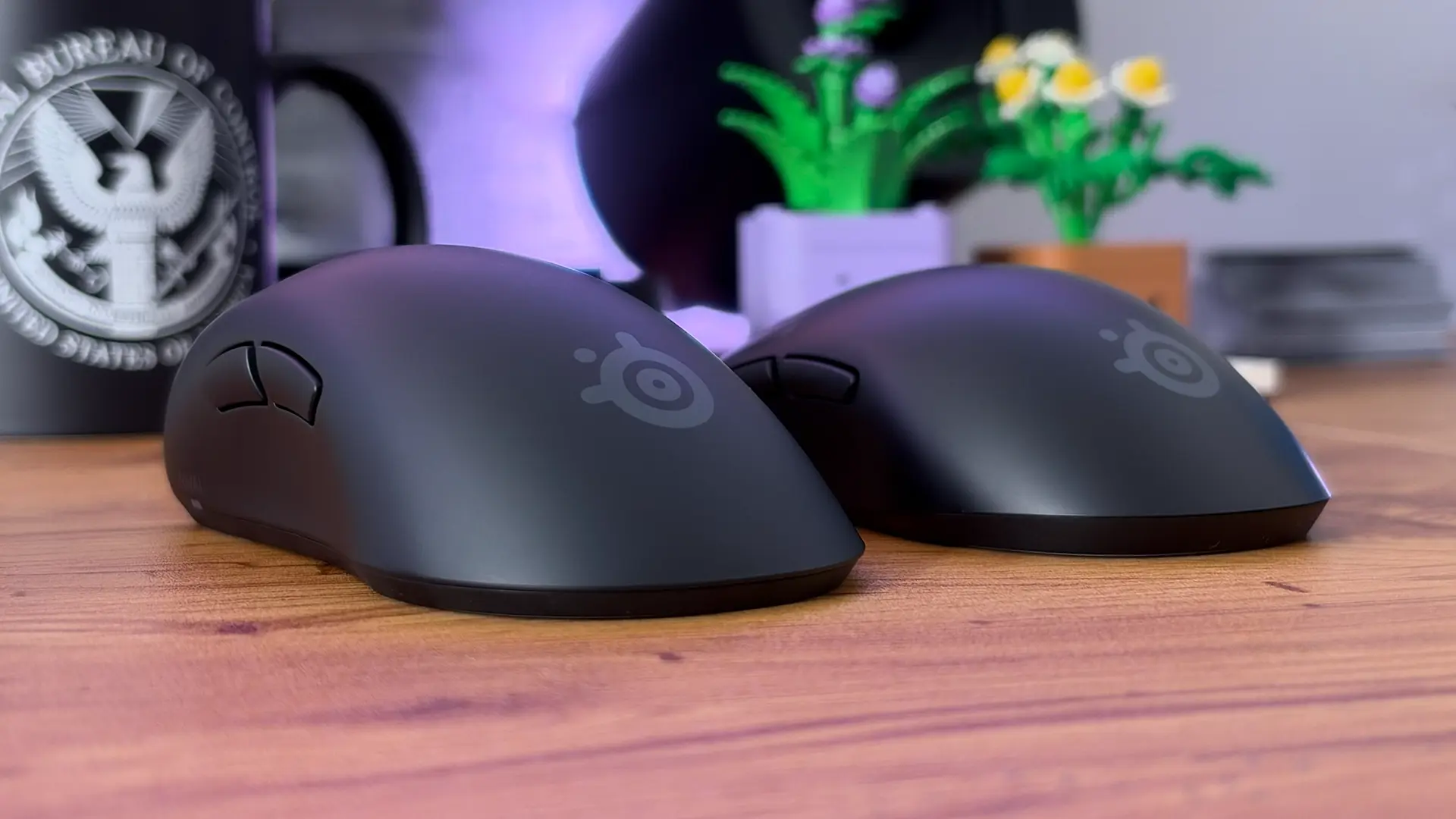
GG, SteelSeries
For all of the good that the advent of wireless PC mice has done, it really feels like we’ve acquiesced to the one, big, unfortunate downside – battery life. The freedom of a wireless mouse is hard to give up, but having one die on you at the most inconvenient time and needing to either take a charge break or temporarily give up that precious freedom and tether it to your machine of choice is a frustration most modern PC users share. That’s especially true of the “gaming” flavour of mice, which typically sacrifice battery life for performance and therefore need topping up even more frequently.
So why isn’t anyone doing something about this, you ask? Well, I can’t tell you with any surety why our species has come to be so accepting of this tragic inconvenience, but I can offer some good news – SteelSeries has solved the problem. Yay!
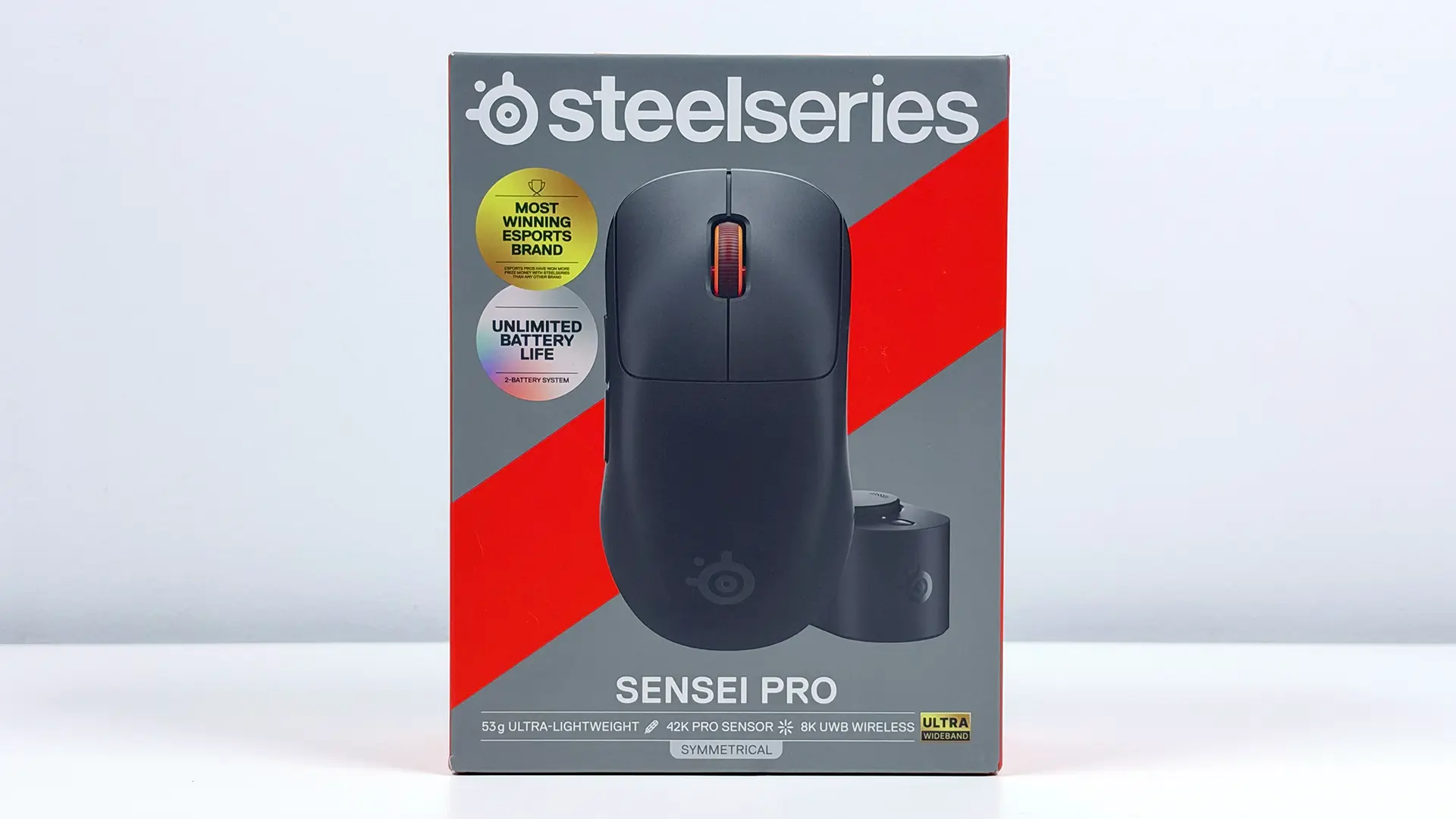
This was originally just going to be a straightforward review of the SteelSeries Sensei Pro gaming mouse, one where I rattle off a bunch of numbers to try to describe to you how its high-tech sensors and switches made me perform better than ever, even though both my squad and my partner will sigh and tell you not much has changed there. But after spending a heap of time with this mouse, and its right-handed cousin the SteelSeries Rival Pro, I’m just thinking about that battery situation.
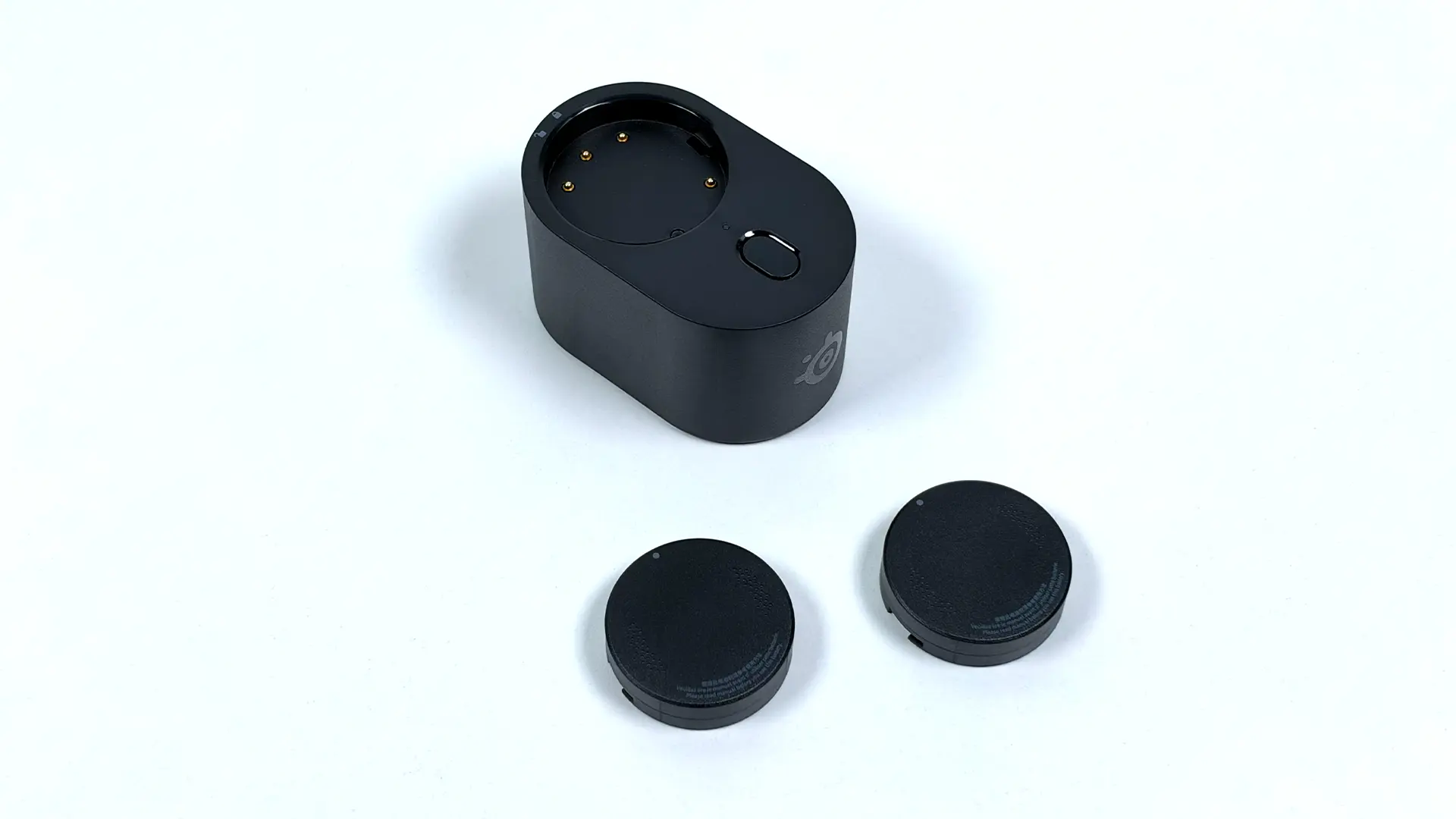
See, the solution here is achingly simple. Much like it did with its top-tier gaming headsets in the Arctis Nova Pro/Omni range, SteelSeries has made the battery in the Sensei Pro/Rival Pro hot-swappable and included the charger and a second battery in the box. This means that, essentially, you can have “unlimited” battery life just by swapping your tired unit out for the fully-charged backup, and then vice versa the next time around. And because the charging dock is also the wireless adapter (more on that in a bit), you’ve no reason not to have it handy. What a wonderful time to be alive!
The batteries themselves are these adorable little disc-like jobs, which feel like they weigh almost nothing in the hand and hold approximately 16-60 hours of charge, depending on what performance settings you’re using. The lower end is when using the full-fat 8000Hz polling rate, and the upper bounds are representative of using the mouse at 1kHz polling. We’ll touch on these performance bits and the SteelSeries GG software soon enough, but realistically the numbers here matter a lot less when a fully-charged spare battery puck is within arm’s reach at all times.
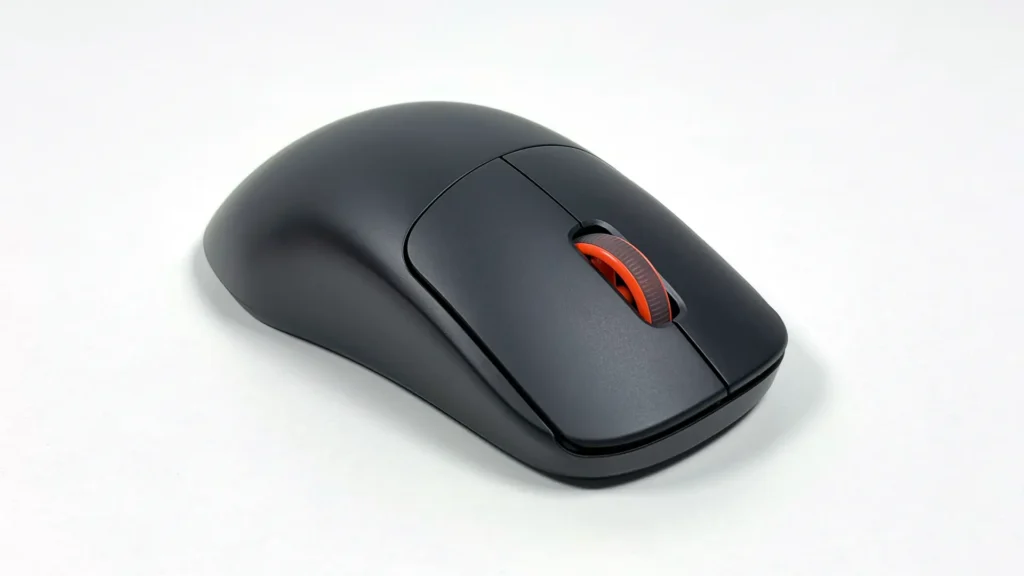
I guess we’d better talk about the other things the Sensei Pro has going for it, though, because a fun power solution alone does not an AUD $299.00 asking price justify. Fortunately, everything else about this mouse is similarly class-leading.
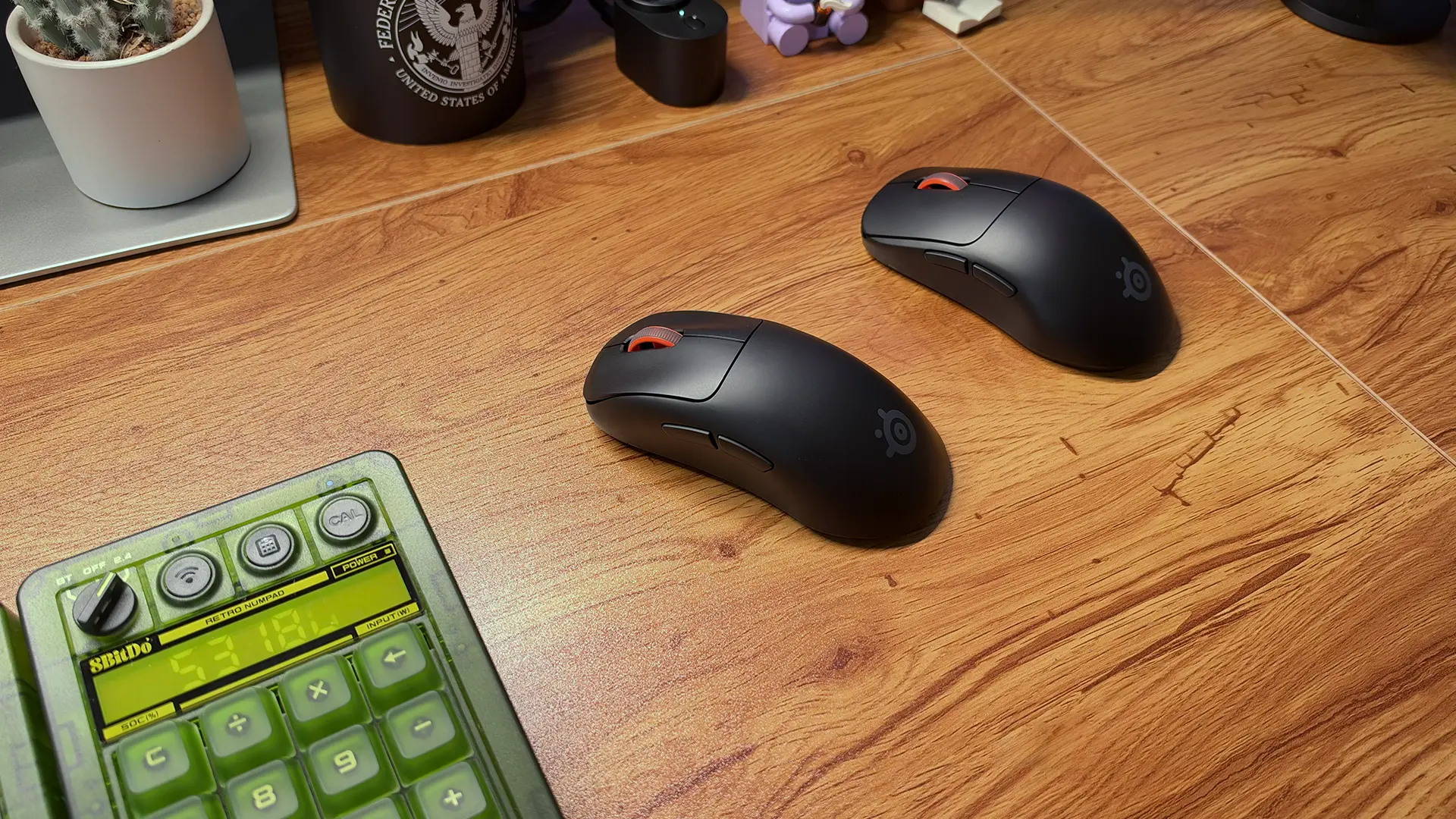
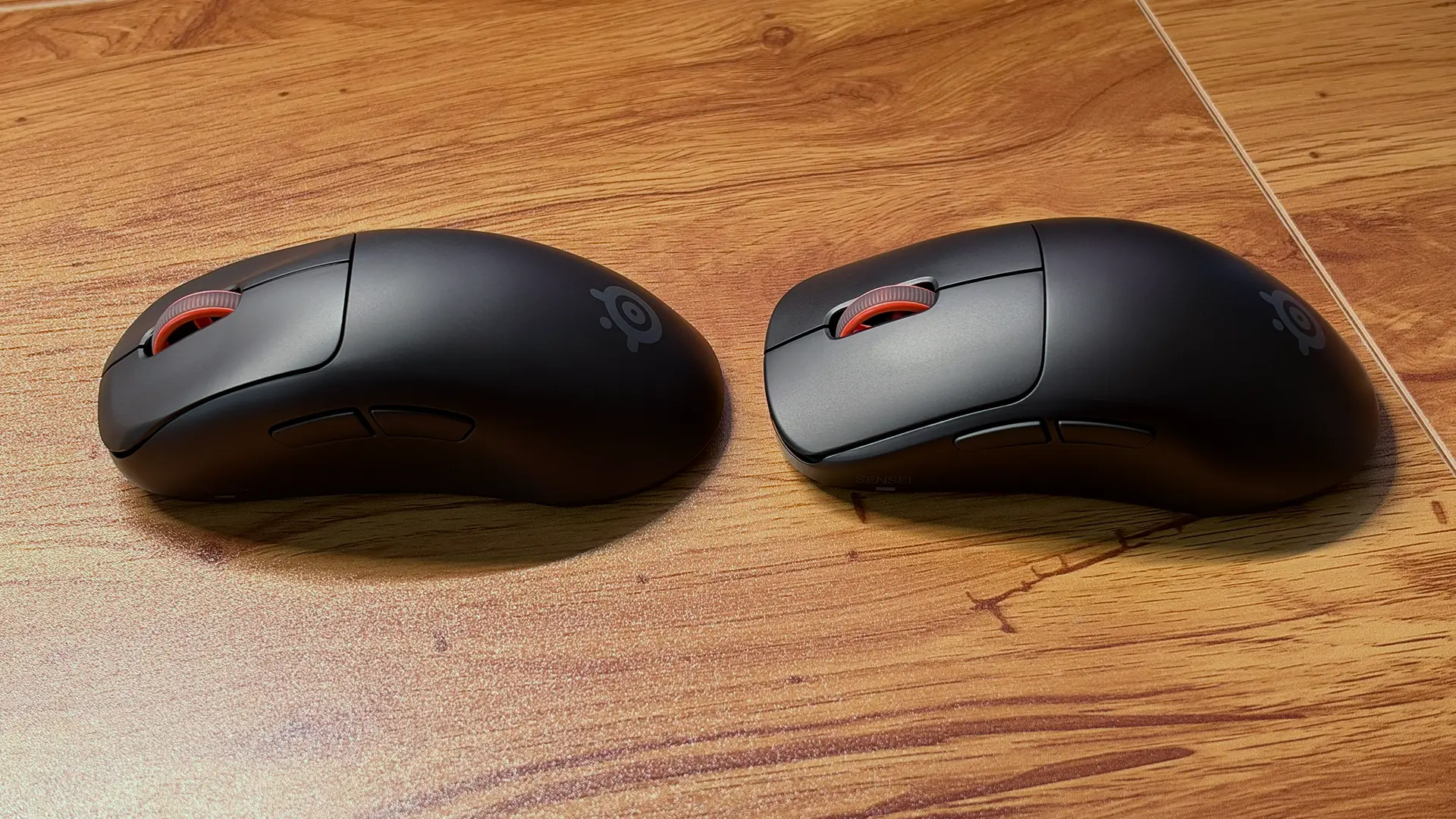
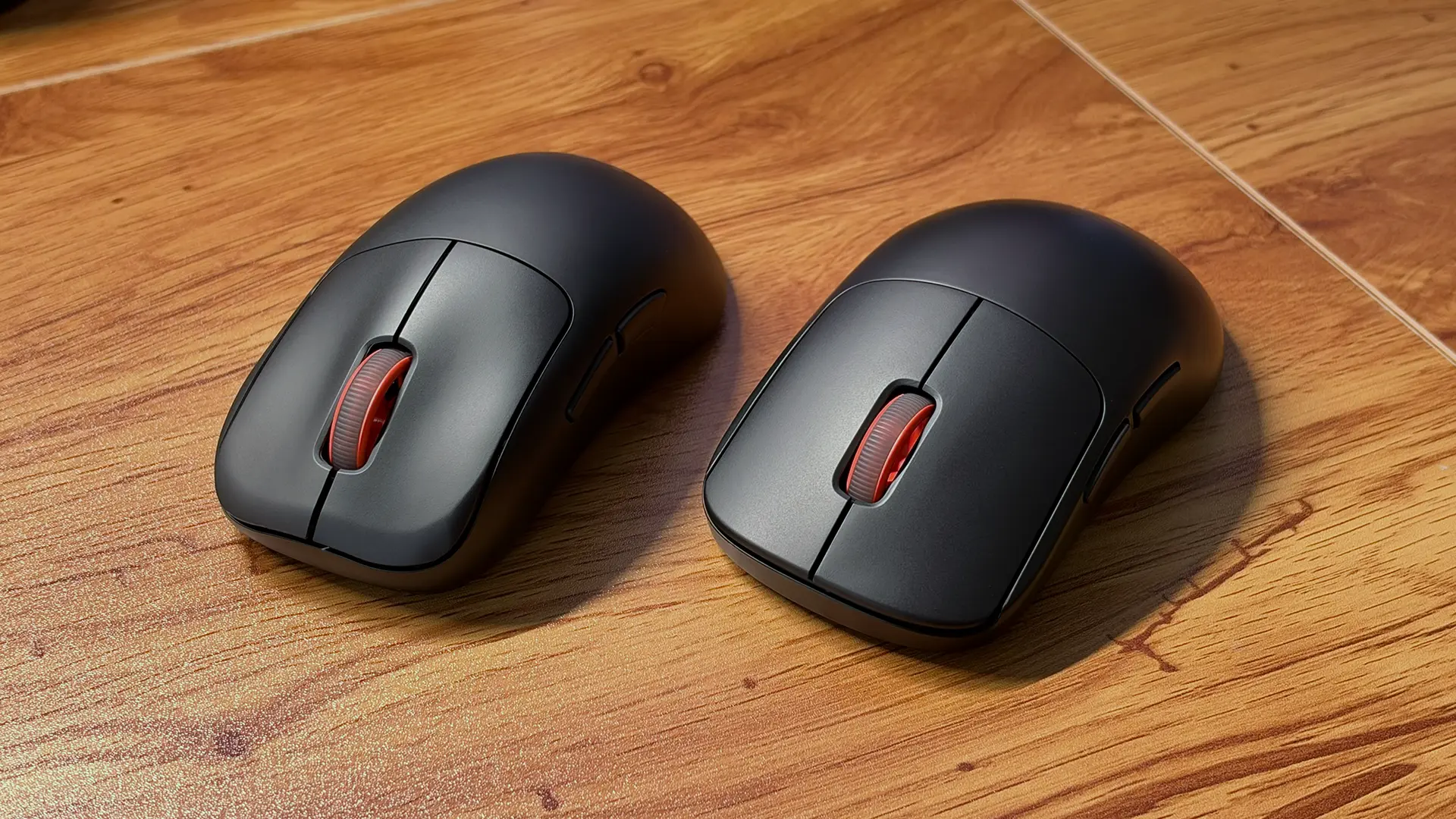
Design-wise, these are fairly unassuming but handsome units. Whichever shape you go for you’re getting a sleek, if traditional-looking number with a subtle matte finish in either black or white and a conservative array of buttons. Two separated main buttons, two programmable side buttons, a scroll wheel with a flourish of SteelSeries Orange and an indicator LED adorn the topsides of the mouse, and then underneath is the sensor, some large 100% PTFE skates and a power/DPI switch. Oh, and that hot-swappable battery, of course, which is super easy to pop in and out with a short push-and-twist action.
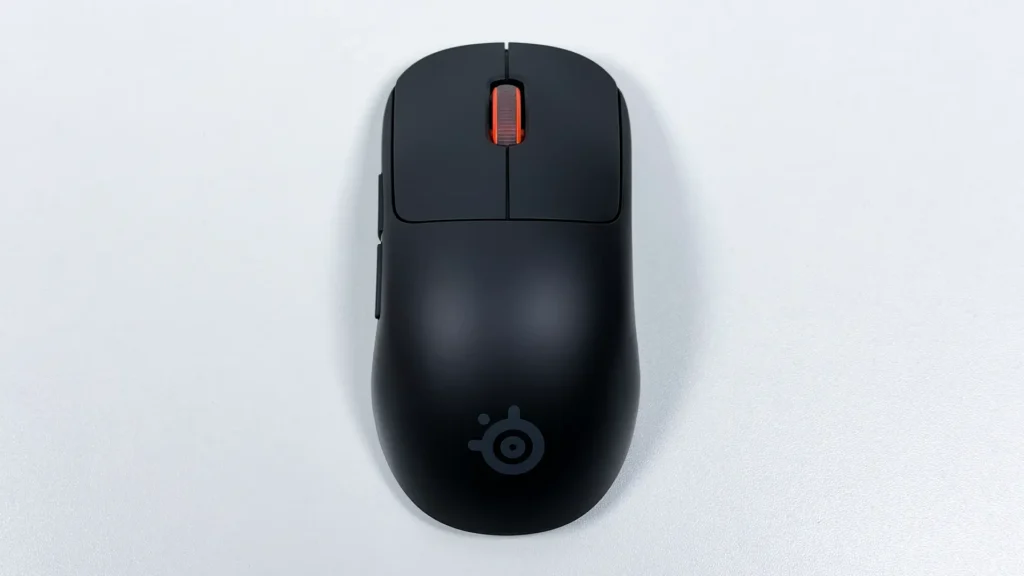
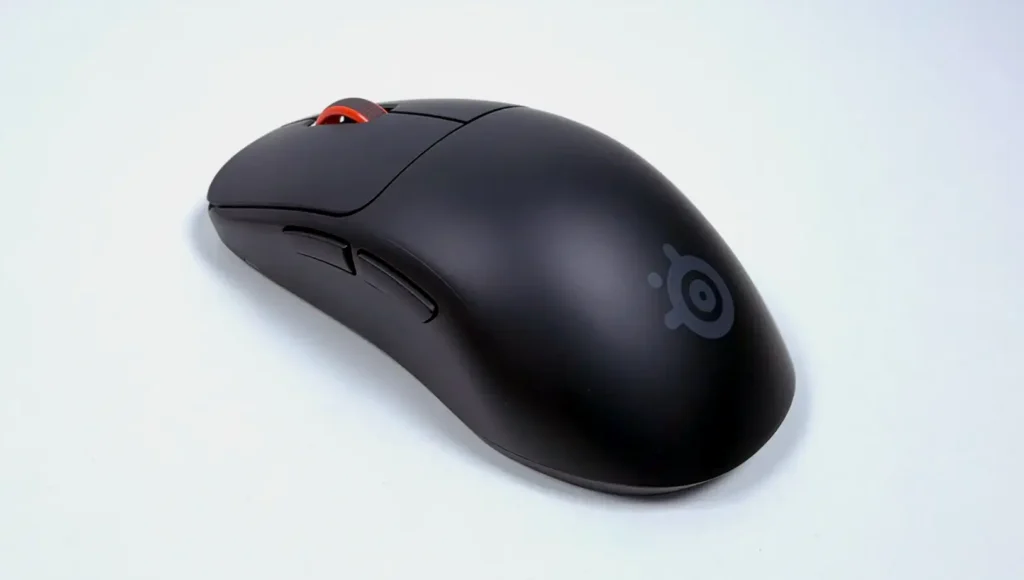
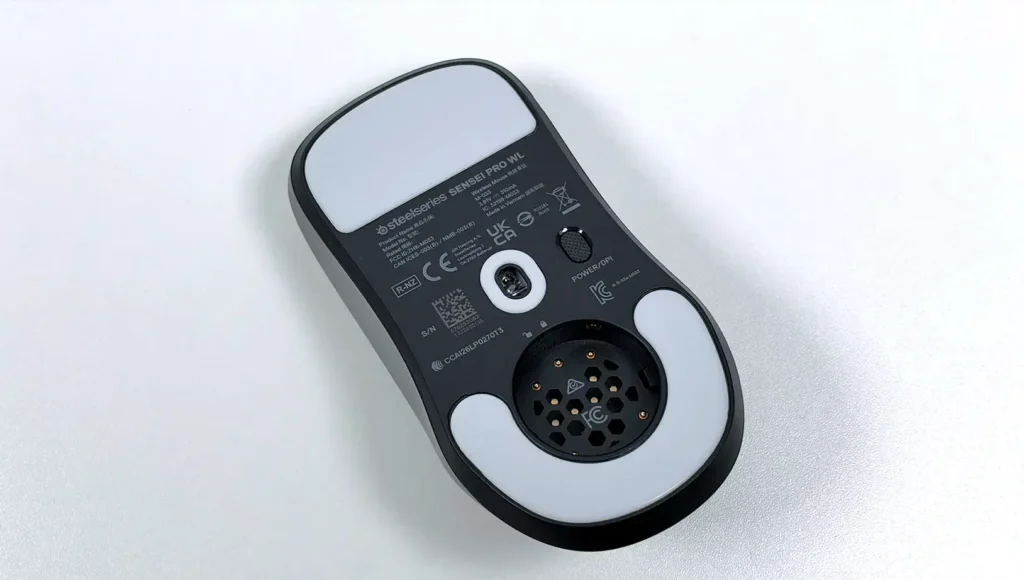
Although I’ve spent far less time with it compared to the Sensei Pro, I’ve also been road-testing the SteelSeries Rival Pro, which swaps out the flatter ambidextrous design for a curvier, taller shape geared towards right-handed players but is essentially the exact same mouse otherwise – right down to the weight. I’m undecided on which form factor works best for me, personally, but I will say that the placement of the two programmable buttons on the left side of the mouse sit a lot more naturally under my thumb with the Rival Pro, and the tip of my index finger rests more in line with the scroll wheel at the top. So if you’re planning on using the full gamut of extra functions on the mouse, and you’re right-handed, the Rival Pro may be the better option.
I do have a couple of small qualms with the design of the Sensei Pro/Rival Pro, and they mostly come down to what you’re getting for an eye-watering AUD $299. You’re paying that amount for high-end performance and the extra battery gear, of course, but for the money I would’ve hoped for a bit of a scroll wheel upgrade. The one that’s here is underwhelming, if just by virtue of being a basic mechanical wheel with no free-scrolling option. I’ve been using the Razer DeathAdder V4 Pro with its optical scroll and by comparison this one feels a little washy and imprecise. The same can be said of the switches in the main mouse buttons, which are tacticle, snappy and reliable but otherwise unremarkable when compared to competing mice with adjustable, analogue switches. Lastly, the coating on the plastic is a massive magnet for fingerprints, which maybe isn’t a world-ending issue but certainly annoys me.
SteelSeries Sensei Pro/Rival Pro Specifications
- Compatible with: PC, Consoles
- Design: Ambidextrous (Sensei), Right-handed (Rival)
- Number of buttons: 5 Programmable Buttons plus Power/DPI press and release
- Switch type: SteelSeries Optical Switches
- Sensor type: SteelSeries TrueMove 42K Pro Optical Sensor
- Sensitivity (DPI): 100–42,000 DPI
- Polling Rate: Up to 8,000Hz
- Onboard Memory: Yes (1 profile)
- Connectivity: Ultra Wideband Wireless (UWB)
- Battery life: Rated for 60 hours at 1kHz UWB / 16 hours at 8kHz UWB per battery (two hot-swappable batteries included)
- Included accessories: UWB wireless adapter, 2x hot-swappable batteries, additional PTFE skate set, 2M USB-C to USB-A charge/data cable
- Size: 125.6 mm L x 66.5 mm W x 38.6 mm H (Sensei), 125.7 mm L x 68.2 mm W x 42.2 mm H (Rival)
- Weight: 53g (Black) 54g (White)
- Price: AUD $299.00 / NZD $399.00 / USD $179.99
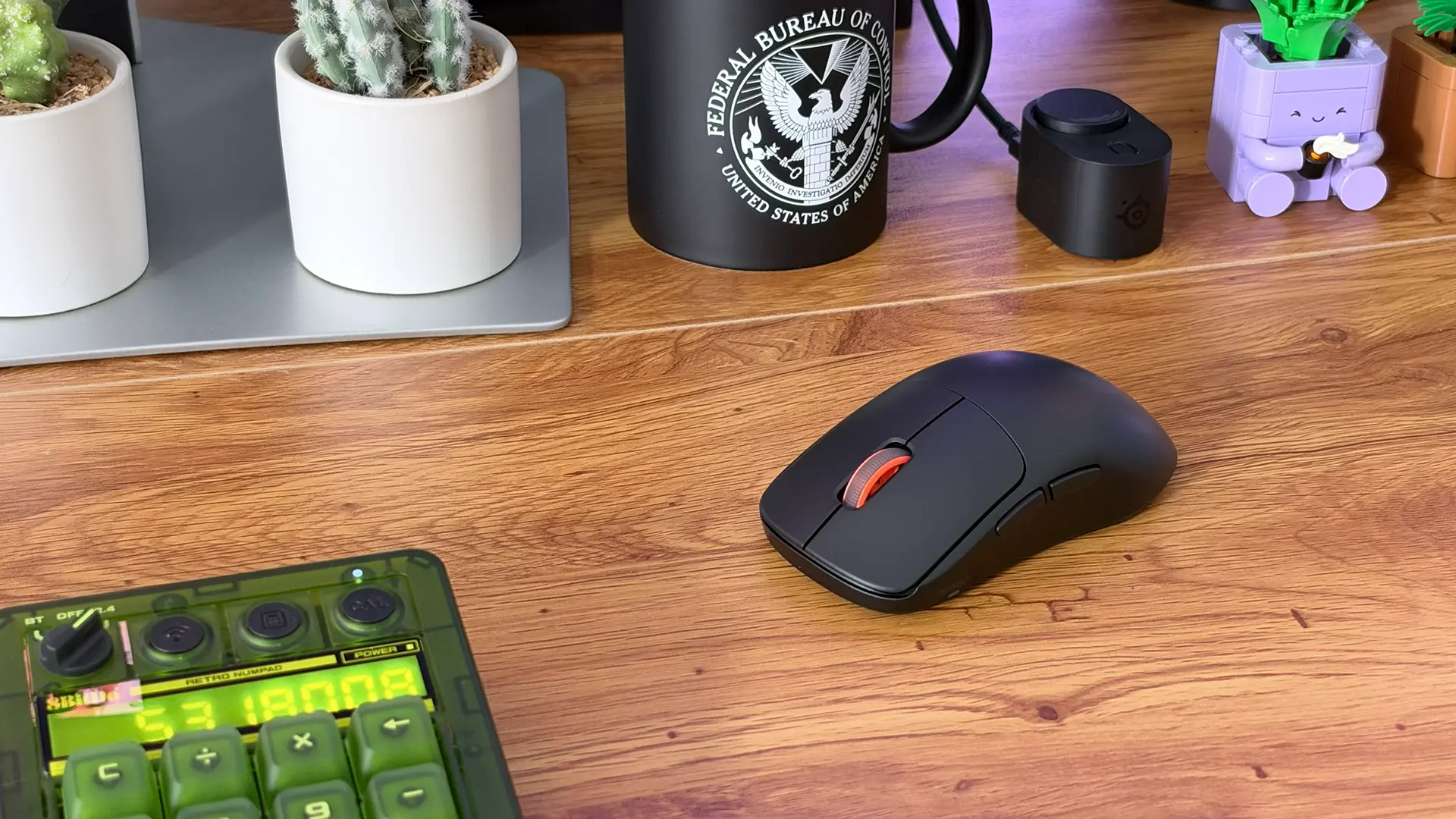
While it might not look flashy, what’s under the hood is what makes the Sensei Pro/Rival Pro attractive, and there are some serious performance chops here. The brand’s TrueMove 42K Pro Optical Sensor, which is a slightly tweaked version of the well-regarded PixArt PAW3955 sensor, allows for sensitivities between 100DPI up to a whopping 42,000DPI with customisation available in single-digit increments. At the upper limits it’s spectacularly sensitive and accurate – though I can’t see why any human being would need to even approach that ceiling. The important thing is all that overhead means that there’s no chance of this mouse getting in the way of your natural motor skill, the flipside being that I can’t blame it when I go the whole night without a W in Fortnite. I’ve also kinda bared my casual online shooter arse by name-dropping that particular game, so you can see where the Rival Pro/Sensei Pro undoubtedly exceed my needs.
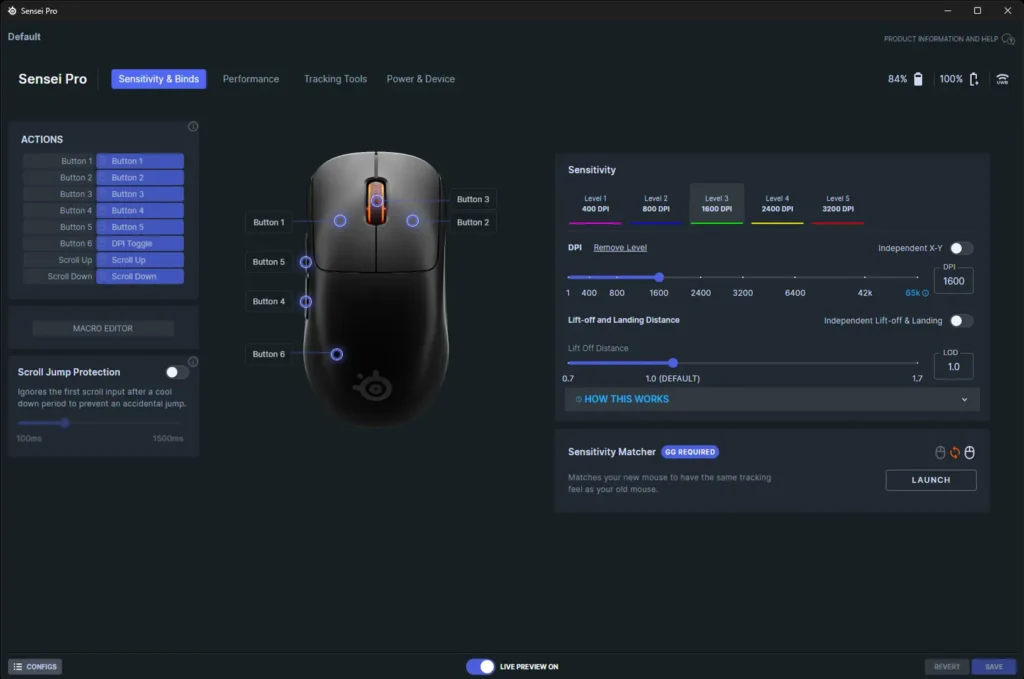
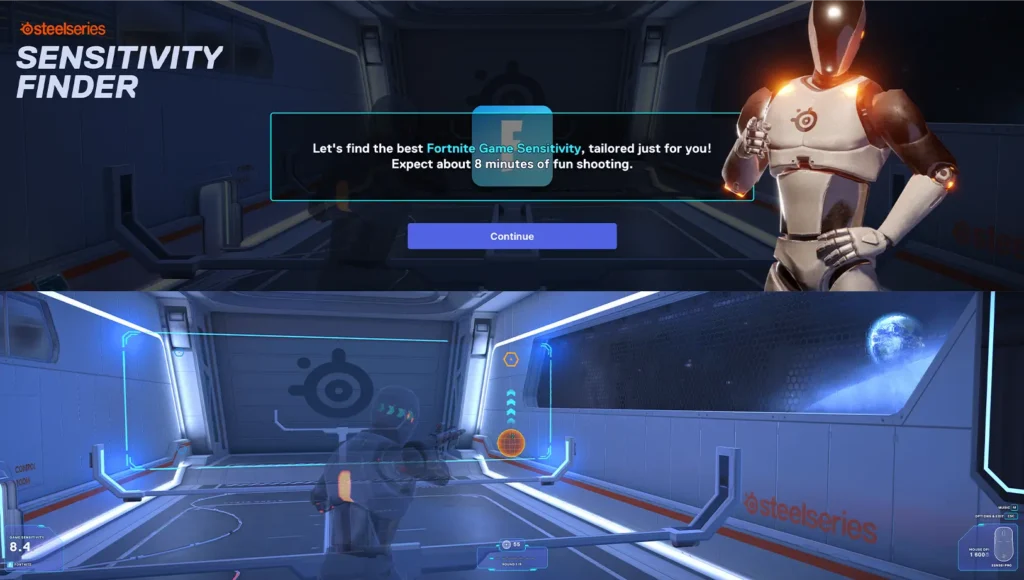
Opening up the dedicated SteelSeries GG app, there’s a remarkable breadth of settings to tweak to optimise your mouse to your own tastes. Everything from those incremental DPI settings to independent lift-off and landing distances, grip angle, acceleration/deceleration, per-game sensitivity conversion and more are available to get real granular with it, if that’s your thing. I’m personally more jazzed that I can do the essential tweaking through the new SteelSeries GG Web app instead of installing yet another brand’s peripheral software on my PC. It’s a little less feature-rich, but it means you can jump into your mouse settings almost anywhere and save them to the on-board profile, and I just love that we’re seeing more of these web apps pop up.
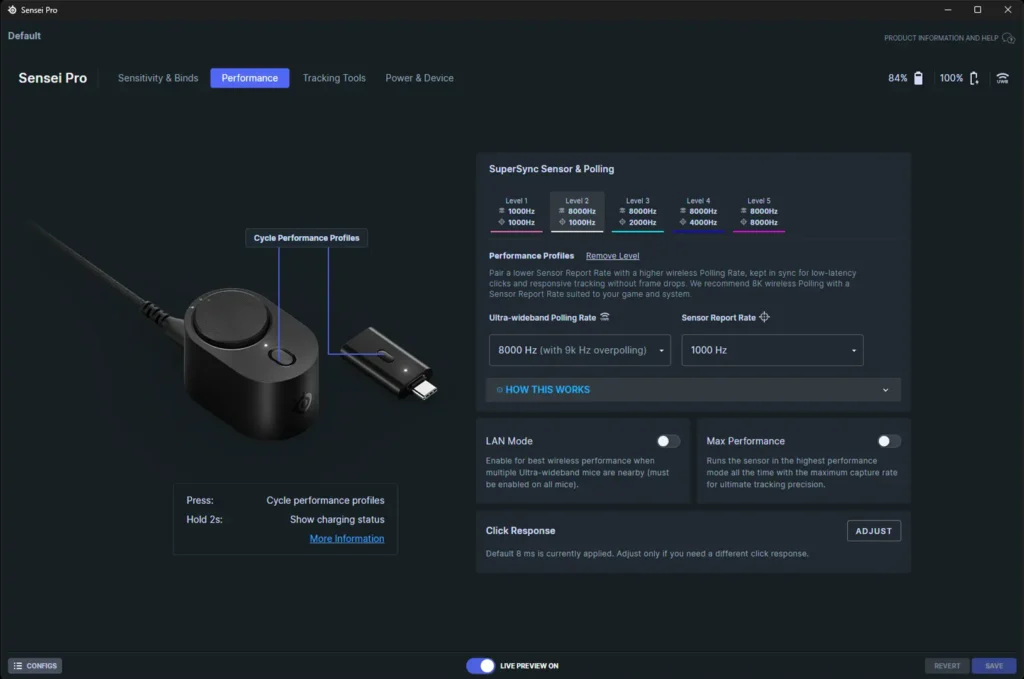
The dedicated receiver/charger isn’t just any old 2.4GHz dongle, either – SteelSeries has gone the extra mile and fitted these mice with UWB (ultra-wideband) wireless technology to achieve optimal signal speed and strength, side-stepping any nasty interference from literally everything else riding the 2.4GHz wave and delivering that top-end 8kHz polling rate over-the-air. In fact, these mice don’t have any kind of wired option, which would ordinarily give me the absolute ick but is no huge issue here unless you manage to take them on a trip without the receiver.
So at 300 bucks a pop, the SteelSeries Rival Pro and Sensei Pro are delivering very conservatively-adorned gaming mice with two standout features that make them uniquely special – ultra-wideband wireless connectivity with up to 8kHz polling and an “infinite” battery life thanks to the hot-swappable batteries. Combined with a great sensor that offers ridiculous performance to match, and the pros out there should absolutely be looking in this direction. For everyone else, the connectivity and battery feature alone might well justify splurging.
Sample product provided by SteelSeries for the purposes of this review.
Like our content on covergeek? Hate dodgy AI summaries? Click here to add us as a Preferred Source on Google and see our posts more often!


Born into the world of video games through SEGA, and in particular Sonic the Hedgehog, Kieron’s gaming tastes now consist of the latest, shiny AAA thing, an indie darling or two, and an embarrassing number of hours of Balatro.