
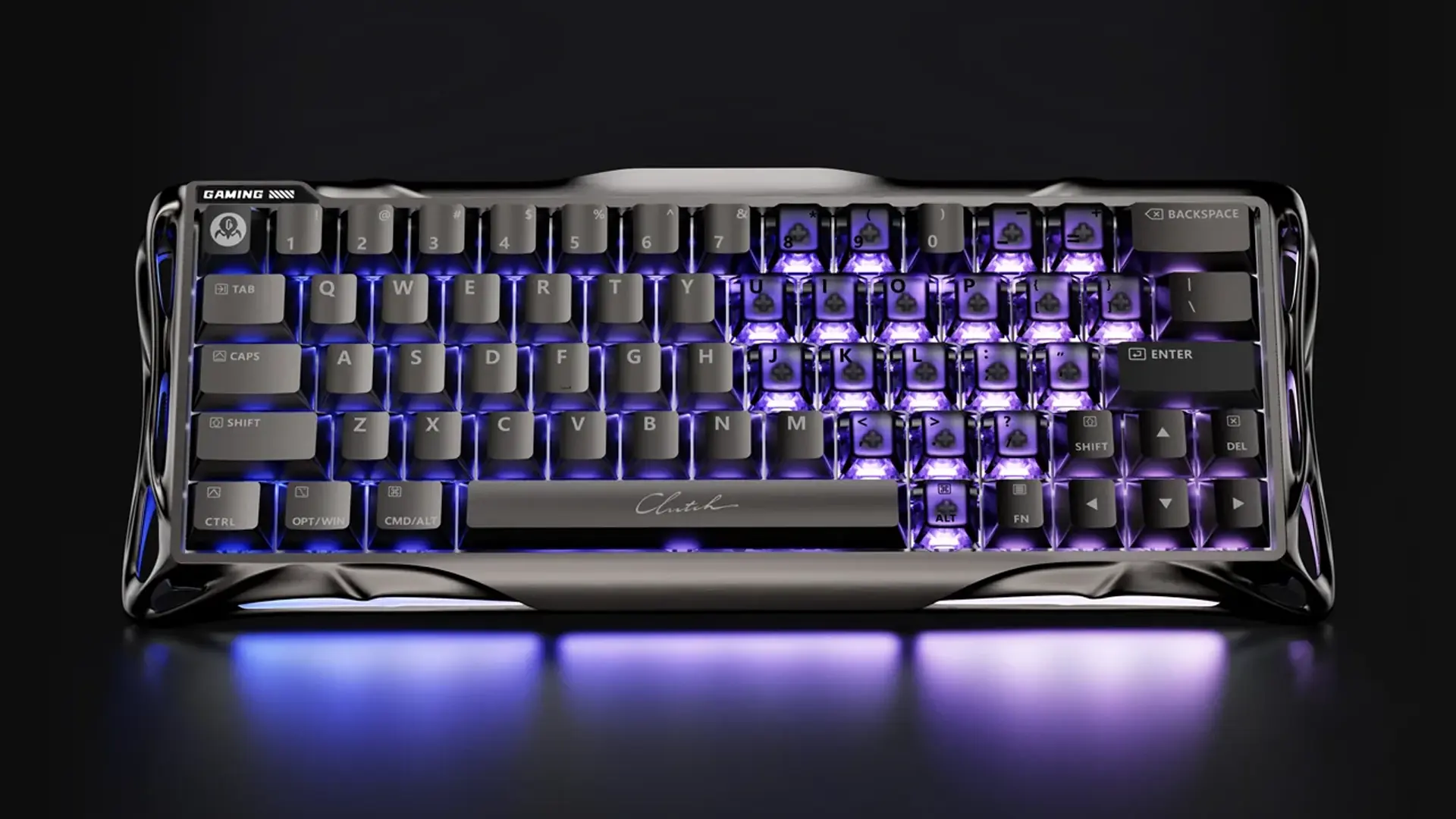
Let’s get this out of the way upfront – the Gravastar Mercury V60 Pro is one hell of a strange-looking gaming keyboard. Its Giger-esque frame built from rippling, winding aluminium curves wouldn’t look out of place in Alien, or even some of the Metroid games, and it’s an aesthetic that might instantly write it off for a few folks. When I first took it out of the box and showed my partner, their immediate reaction was, and I quote, “F*** no.”
So that’s roadblock number one. The next consideration, if you’re looking for a gaming keyboard recommendation from this review, is that this is a 60% form factor keyboard. That means a bare minimum of keys, and a very compact layout overall where keys are close together and some staples like the right shift key are reduced in size. This puts it firmly in “gamers only” territory, which, considering the version available locally retails for $399 you’d assume is everyone considering picking one up – but I say all this to stress the fact that this isn’t something you’d also use for the daily grind or take to the office. Unless you’re freaky like that.
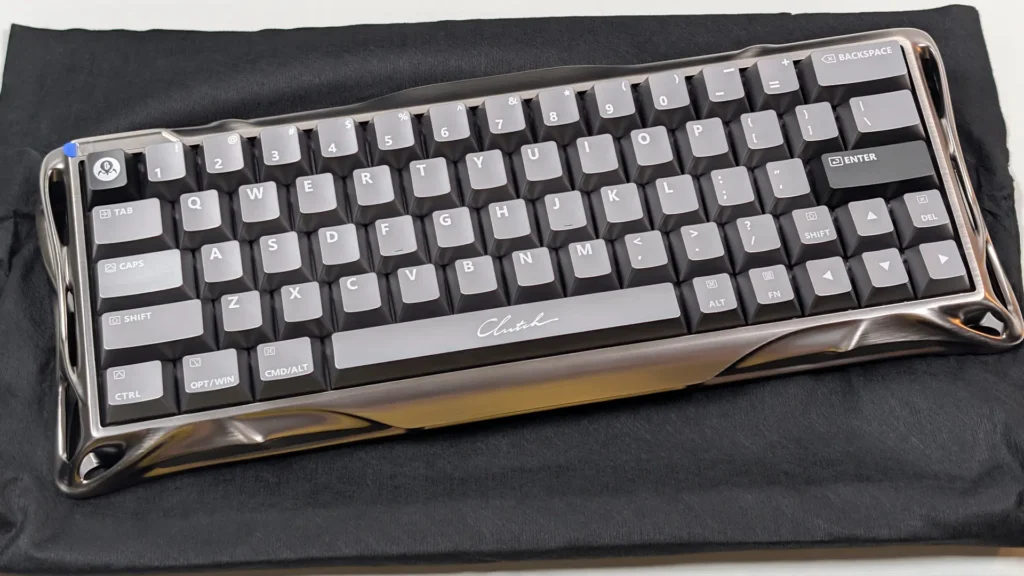
With those two potential gates out of the way, let’s switch focus to what the Mercury V60 Pro does well, and that’s just about everything. Right from the moment you sit the box on your surface of choice and start to open everything up, it’s clear that this is a premium product deserving of that premium price tag. The first thing you’ll see is the keyboard itself, sleeping soundly in a protective dust cover, and the next thing you’ll notice when you lift it out is the ~860g weight. My daily keyboard is a full-size Razer with a solid aluminium base, and is barely 200g heavier, so if you’re planning on packing this in a bag for competitive play just know that it’s a fair bit heftier than a lot of other 60% boards.
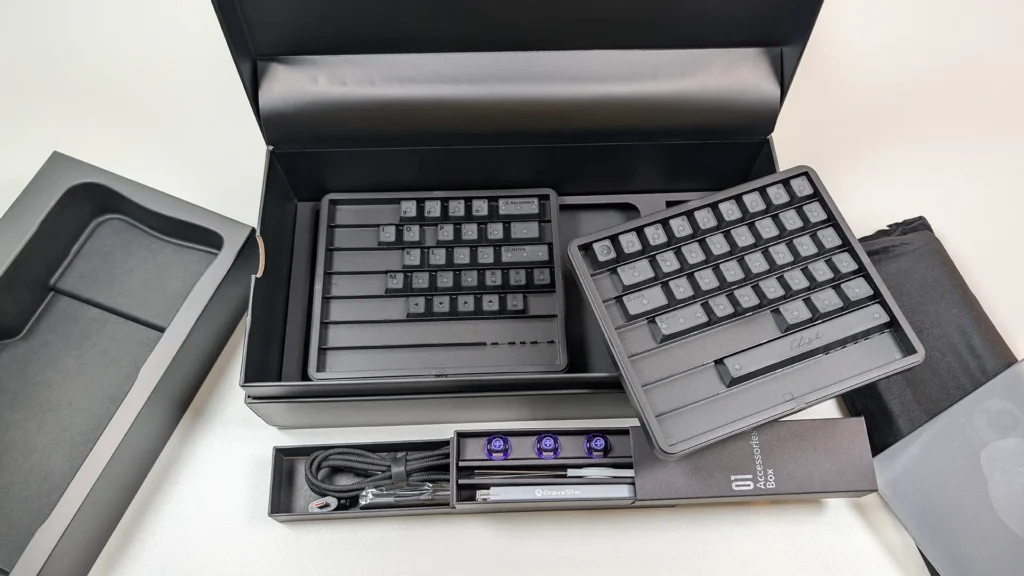
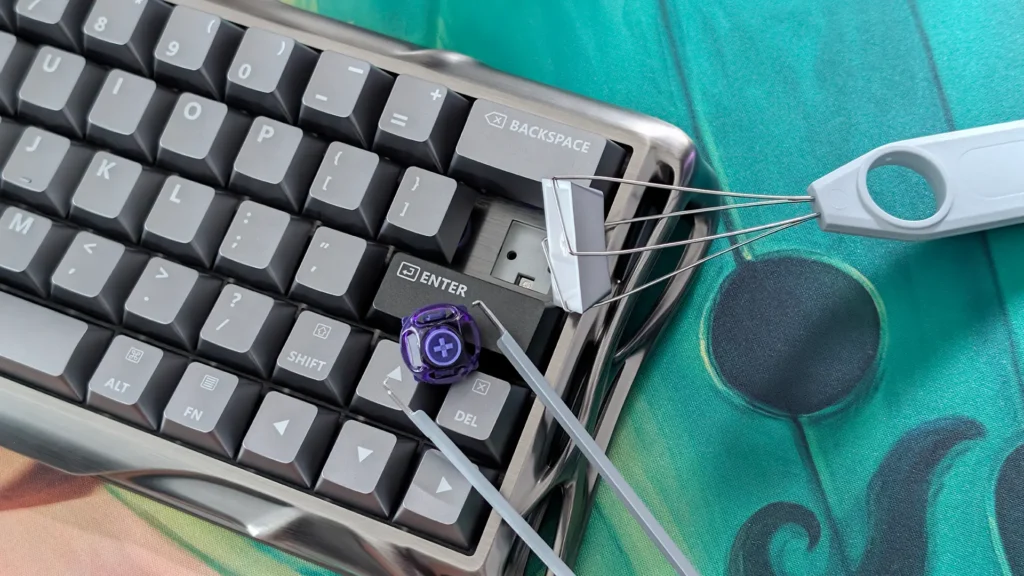
Continuing along with the unboxing, you’ll find a second layer that packs all of the other goodies. Neatly sleeved inside two smaller boxes are the USB Type-A to Type-C cable – a nice, lengthy braided one with an ambidextrous sideways connector at that – a cleaning brush and cloth, and a kit for pulling the keycaps and switches off of the board along with four spare switches should you need them. And then lastly, in the Deluxe Edition box we received for review, a full set of frosted keycaps for some added customisation options out of the box.
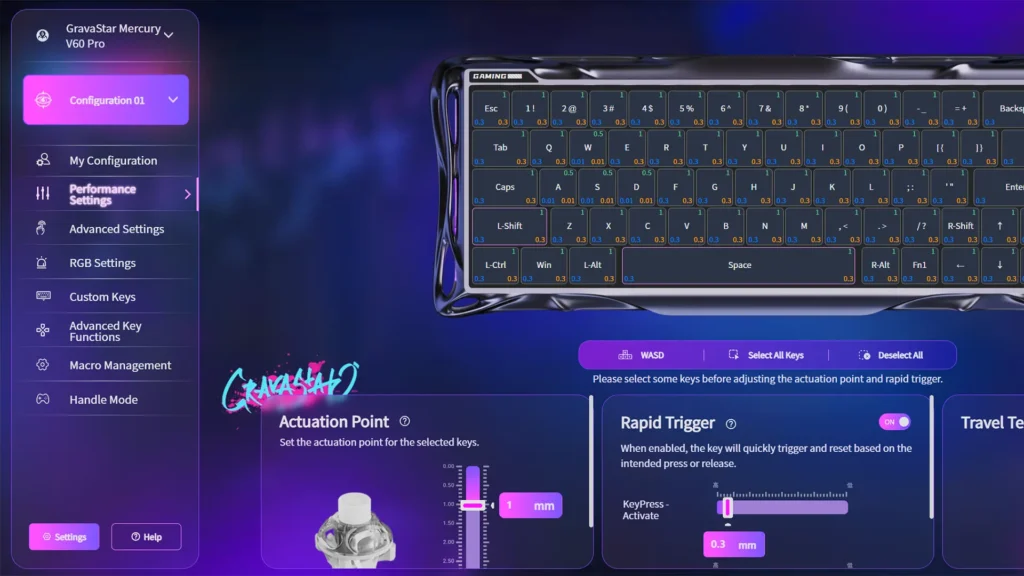
Sitting it on my desk and plugging it in for the first time – the Mercury V60 Pro is a purely wired keyboard – I was immediately impressed by how simple of a plug-and-play setup it was. Not having to mess around with wireless dongles helps, of course, but the other key thing here is that Gravastar doesn’t ask you to install any extra software to configure the keyboard, instead it’s all done in a simple browser window and then saved to on-board memory. I can’t tell you how refreshing it is to not have a bloated, buggy, ad-filled and data-thirsty app constantly running in the background just to use my keyboard, and while Gravastar isn’t the only brand to be doing this it’s a nice change from the more common gaming manufacturers you might consider.
And you’re not losing out on customisation options as a result, either. The online suite has everything you might want from being able to update the Mercury V60 Pro’s firmware, to remapping key functions and macros, configuring RGB lighting options and tinkering with the inner workings of the keyboard’s performance, things like key actuation points, rapid key triggering, dead zones and polling rates up to 8000Hz. You can even quickly map your keys to typical functions on a gaming controller, if you want to trick a particular game or app into thinking you’re holding a pad.
Moving on to what matters most and the primary reason you’d be looking at a board like this, and there’s absolutely no doubting the Mercury V60 Pro’s performance chops. This thing uses the company’s own switches, which it calls “UFO Magnetic Gaming Switches” which use Hall Effect technology and sport incredibly precise actuation down to 0.001mm sensitivity, with actuation range configurable from the full 4mm travel of each key down to 0.1mm. Fair warning that setting it to the latter will essentially make your keys activate just by looking at them. The magnetic, frictionless design means these keys should also hold up to just as much thrashing as the body of the Mercury V60 Pro, and so Gravastar rates them at an impressive 100+ million clicks.
Most importantly though, they feel absolutely fantastic to use. Pre-lubed and with 40gf actuation, there’s an incredibly smooth and intentional press to each key that I really appreciate. They sound glorious, too, with a nice thock as they hit the base and the sound bounces off of five layers of acoustic foam. When I’m typing out at full pace I liken it to the sound of someone shaking a cloth bag full of mahjong tiles, an oddly zen sensation that – not to get too hyperbolic – I feel actually put me in something of a flow state while I was testing out a few games.
Now, unfortunately, when I say testing out games I don’t mean being particularly good at them, putting a bit of a ceiling on how much I can speak to some of the Mercury V60 Pro’s more advanced performance benefits. Features like Rapid Trigger, which instantly resets key activation as soon as you complete a press, meaning zero delay between consecutive keystrokes, and Rappy Snappy, which looks at the input of two simultaneously-pressed keys and prioritises the one pushed deepest. Those should be a big deal for players wanting perfect counter-strafing in games like CS2, just not something I think I’ll ever see the benefit of, but again for those willing to shell out $400 for a gaming keyboard it’s probably on the wishlist somewhere.
One thing I was able to appreciate, is that controller emulation setting, which takes full advantage of the truly analogue nature of the FO Magnetic Gaming Switches for very precise control in games that I’d normally only consider picking up an actual pad for. Playing a racing game, for instance, and having a full range of press depth for acceleration and steering makes those WASD keys impressively viable, likewise with action games or shooters that demand trigger sensitivity.
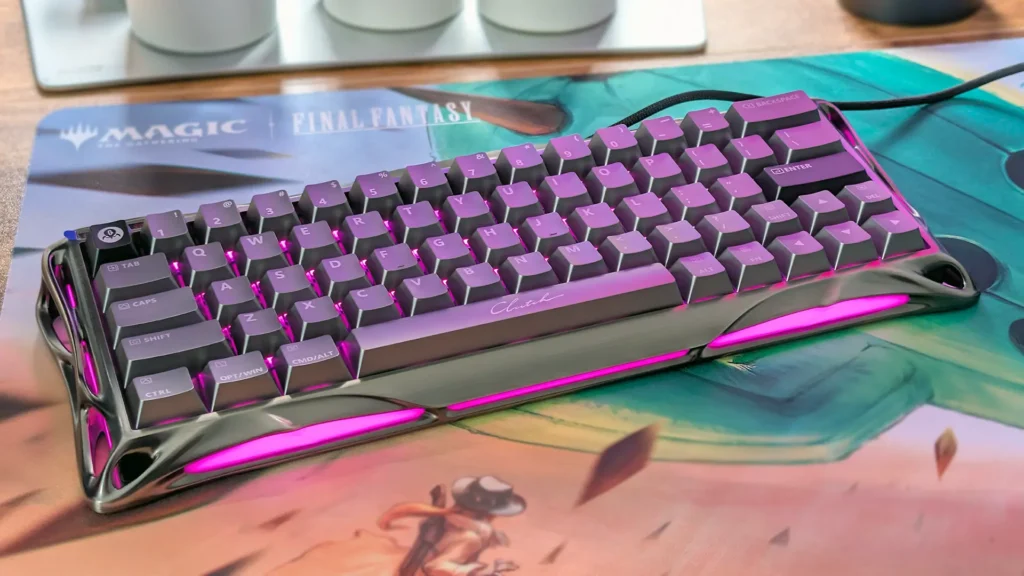
Couple all of that with the incredible low-latency and fast response you get from that 8000Hz wired connection, and this is one hell of a performer. But I am a simple human, and one more thing that tends to impress me is RGB lighting. And given the unique form factor of the Mercury V60 Pro there’s a lot of reason to want to play around with its flashy LED offering. Once again, this is all easily configured through the browser app and saved to one of four on-board profiles that can be switched between using a dedicated physical button on the back of the keyboard.
With the default, non-frosted keys in place, the board’s per-key RGB lighting shows through quite subtly from the gaps and bottoms of each key, which looks quite nice, though I would’ve loved if the key legends were cut instead of printed to allow shine-through and make it easier to see them in dimmer atmospheres. The unique bit here is the edge lighting, which comes through all of the weird, alien bits around the outskirts of the keyboard. You can do some really cool stuff with mixing up the colours of the keys and outer zones, and playing around with the included dynamic modes, to make something that matches the level of freak found in the keyboard itself. Personally, I opted for a blast of hot pink to balance out some of the masculinity of the gunmetal grey colourway I’d been provided. Lovely.
About the only thing that truly feels missing from the Mercury V60 Pro is adjustable feet. I’ve been using the Razer Pro Type Ergo lately and that’s got feet on every corner with two levels of adjustment, so perhaps I’ve been a little spoiled, but even the most basic inclusion here would’ve been welcome.